GitHub 笔记 ongoing
使用 Deploy Keys 来部署
有些时候我们需要将代码仓库 git clone 到目标设备上 (例如服务器).
此时我们希望目标设备拥有 "对于这个代码仓库的只读权限",
这就是 deploy key 的使用场景.
我们可以在代码仓库的 Settings / Deploy Keys 页面中配置 (ssh 公钥):
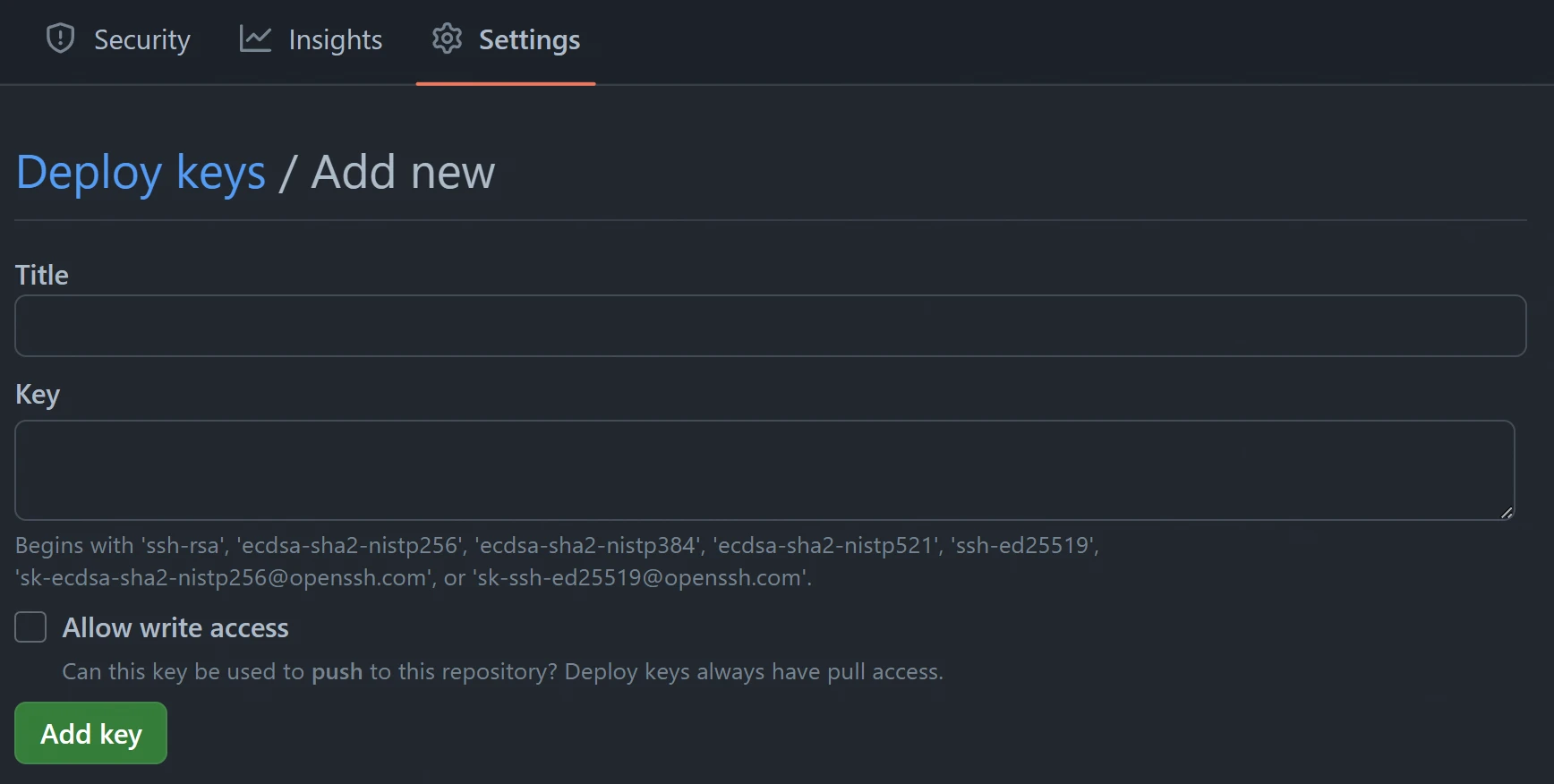
然而, 单个 ssh 公钥只能用作单个代码仓库的的 deploy key, 不能同时给多个代码仓库使用.
因此当我们需要在目标设备上 git clone 多个代码仓库时, 就需要创建多个 ssh 密钥对.
还需要做一些配置 (通常是 ~/.ssh/config 文件), 使得 git 能知道如何恰当选择 ssh 私钥.
创建 ssh 密钥对时, 记得要手动取名字, 最好与代码仓库相关:
例如这里对应的代码仓库是 whisperpine/minio-compose.

然后编辑 ~/.ssh/config 文件 (若不存在则创建):
# 之后 ssh 链接中 "github.com-minio-compose",
Host github.com-minio-compose
  # 会被替换成 "github.com".
  Hostname github.com
  # 这里用于指定刚刚创建好的 ssh 私钥.
  IdentityFile ~/.ssh/minio-compose
~/.ssh/config 文件
~/.ssh/config 文件的语法是键值对:
Host <HostName>
  Key1 Value1
  Key2 Value2
  ...
以下是常用的配置选项及其说明:
| 配置项 | 说明 |
|---|---|
| HostName | 指定远程主机的域名或 IP 地址 |
| User | 指定连接远程主机时使用的用户名 |
| Port | 指定 SSH 连接的端口号 |
| IdentityFile | 指定用于身份验证的私钥文件的路径 |
| Compression | 指定是否启用压缩 |
| ProxyJump | 指定连接通过跳板主机 |
| ForwardAgent | 指定是否转发 SSH 代理 |
举个例子:
Host example
  HostName example.com
  User your_username
  Port 22
  IdentityFile ~/.ssh/id_rsa
  Compression yes
  ProxyJump jumpbox.example.com
  ForwardAgent yes
在目标设备 git clone 时, 记得要修改 ssh 链接:
# 常规的 ssh 链接, 会使用目标设备上默认的 ssh 私钥, 例如 ~/.ssh/id_rsa 文件.
# 我们不能使用默认的私钥 (因为它不是 deploy key), 因此 **不要** 使用这条命令.
git clone git@github.com:whisperpine/minio-compose.git

# 这里使用配置文件中 "github.com-minio-compose" 来替换原本的 "github.com",
# 就可以使用我们在 ~/.ssh/config 配置文件中所指定的 ssh 公钥.
git clone git@github.com-minio-compose:whisperpine/minio-compose.git
解决 port 22: Connection timed out
如果使用 ssh 协议来与远程仓库沟通, 可能会遇到如下错误:
ssh: connect to host github.com port 22: Connection timed out
fatal: Could not read from remote repository.
此时可以修改 ~/.ssh/config 文件:
Host github.com
  Hostname ssh.github.com
  Port 443
另外, 如果使用了 Deploy Keys, 对应的 ~/.ssh/config 写法应该是:
# 之后 ssh 链接中 "github.com-minio-compose",
Host github.com-minio-compose
  IdentityFile ~/.ssh/minio-compose
  Hostname ssh.github.com
  Port 443
Dependency Bot 自动更新依赖
在代码仓库的根目录, 创建 .github/dependabot.yml 文件.
version: 2
updates:
  # 例如 rust 工程就使用 cargo 作为软件包管理
  - package-ecosystem: "cargo"
    directory: "/"
    schedule:
      # 执行 dependency bot 的间隔
      interval: daily
只需要上面这一步, 就为代码仓库启用了 Dependency Bot, 非常简单.
它会按照配置来检查代码仓库的依赖项是否需要更新, 若需要则自动创建 Pull Request.
在 Insights / Dependency Graph 中可以找到 Dependabot.
我们可以在这里看到每次 Dependency Bot 执行的日志.
